Room Type Conversion
The Room Type Conversion module allows users to reconfigure rooms to different room types seamlessly without impacting historical reservations and creating a new room.
Roles with the permission WriteRoomTypeConversion will be able to convert room types.
The feature setting named Room Type Conversion should be enabled to allow users to convert room types. When disabled, the Room Type Conversion screen will be hidden.
Perform the following steps to convert room types:
Navigate to Settings ➜ All Settings ➜ Rooms & room types (under General).
Navigate to the Room Type Conversion tab.
Choose between Convert All Rooms or Convert Only Selected Rooms using the radio buttons.
Choose the Room Type to convert from the From drop-down list.
Choose the Room Type to convert to from the To drop-down list.
Select one or multiple room numbers from the Room Number drop-down list if Convert Only Selected Rooms radio button is selected.
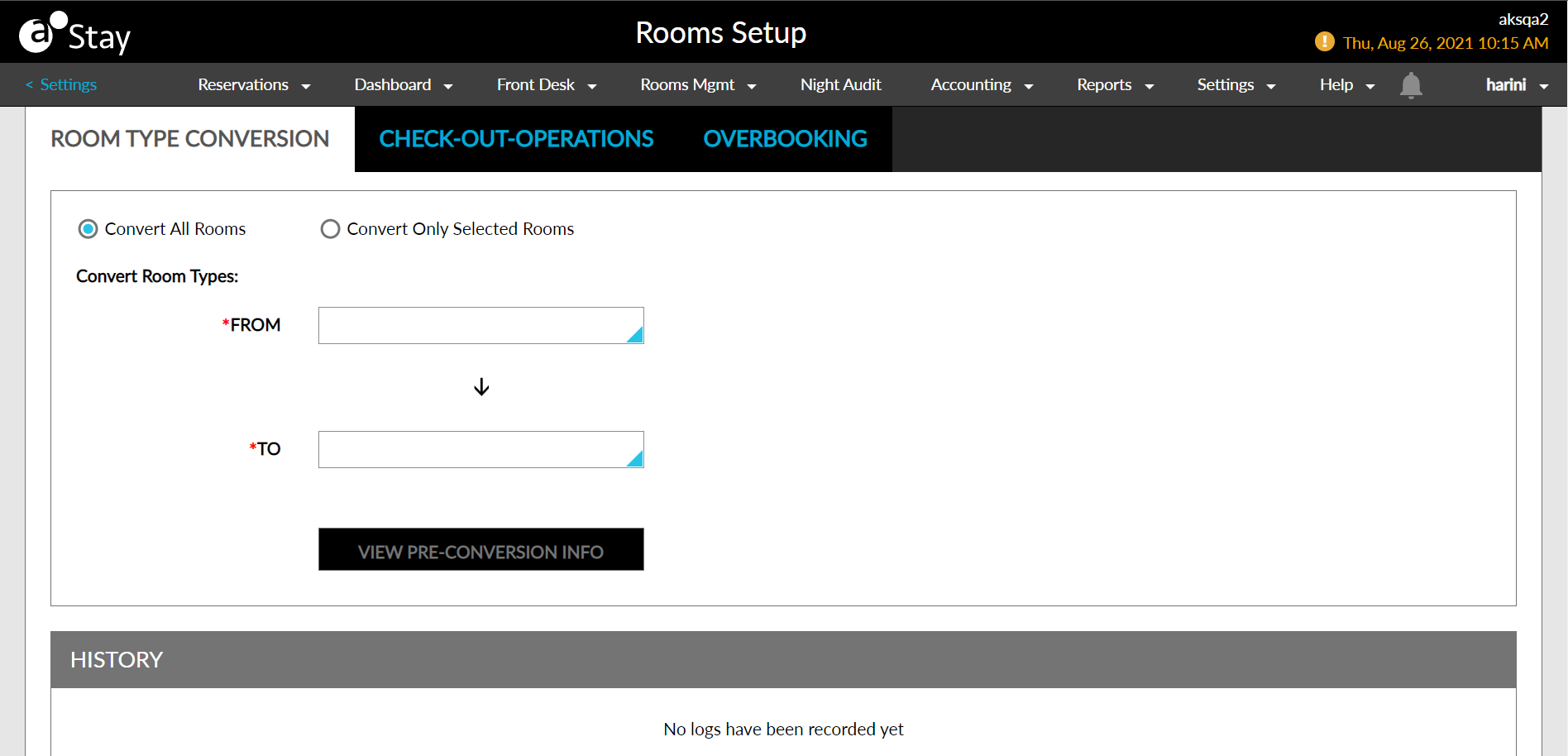
Click the View Pre-Conversion Info button to open the View Pre-Conversion Information pop-up screen to compare the two room types.
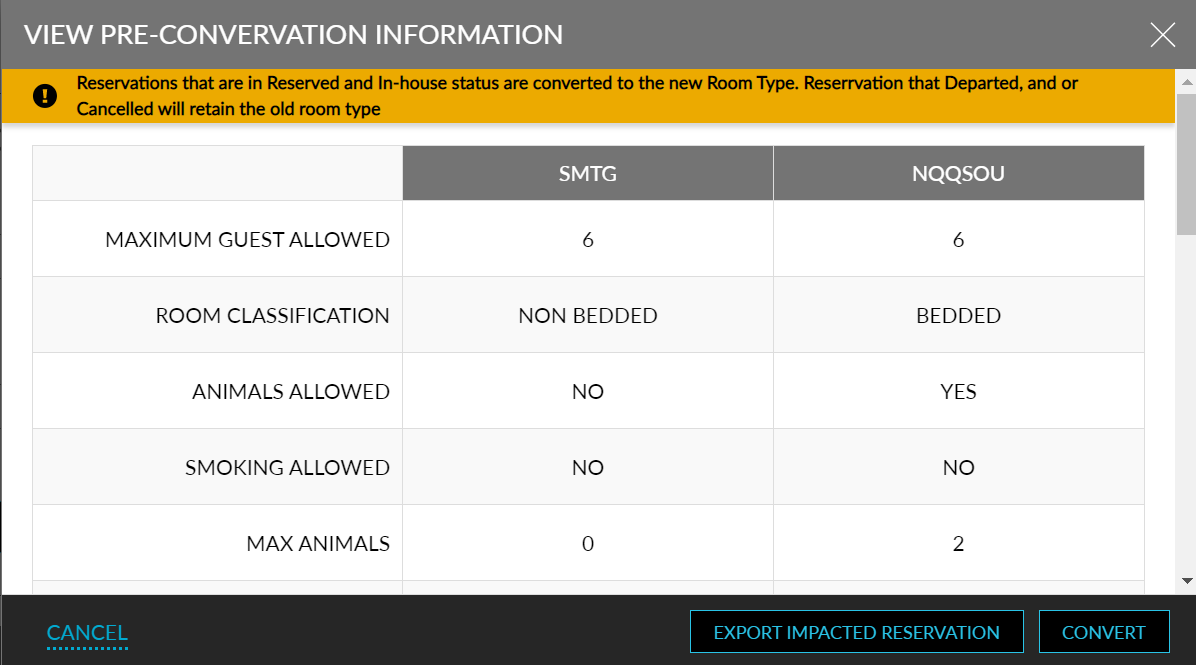
Departed and canceled reservations will not be impacted by the room type conversion.
Click the Export Impacted Reservation button to download a spreadsheet that lists the impacted reservations due to the room type conversion.
Click the Convert button to convert the room type.
View the room type conversion history under the History section.
Click the download icon to download a spreadsheet that lists the impact details by group, Reservation, and rate plan.
